Resistor Color Codes


If you have ever stared at a bag of beige through-hole resistors and wondered whether that orange band is a digit or a multiplier, you already know the ritual: squint at the colors, reach for a paper decoder wheel, or hunt for a multimeter. Resistor Color Codes is the iOS app I built to put that ritual in your pocket—same mental model as the cardboard wheels, but always on your phone.
The app recently passed 9,660 downloads on the Apple App Store. For a tiny, single-purpose utility with no ads and no account system, that still surprises me—and it tells me plenty of people still breadboard, repair kits, and sort resistor drawers the old-fashioned way.
Why another resistor app?
Paper scales for reading through-hole resistor values are nothing new. So are resistor calculator apps. What I wanted was not another form where you tap color names from a list, but something that feels like the tool you already know: rotate bands until they line up with the part in your hand, and the value updates immediately.
That matters at the bench. Your eyes are on the resistor, not on deciphering UI chrome. The interaction is deliberately physical—spin the color wheels until they match the body in front of you.
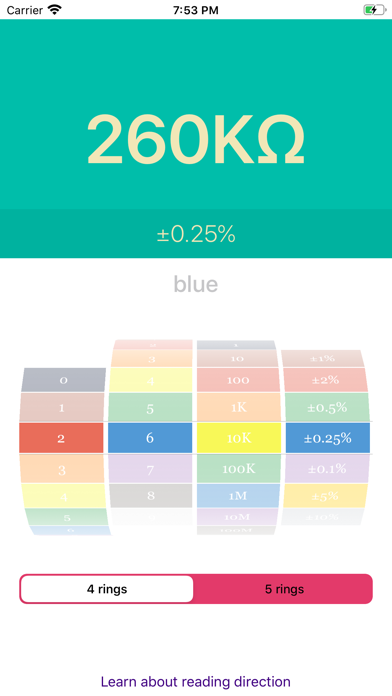
What it does
- 4-band and 5-band color-coded resistors, switchable in one tap
- Live resistance readout as you align the bands (ohms, with sensible formatting)
- No multimeter required for a quick sort or sanity check
- Native iOS—small install (~400 KB), fast launch, no web wrapper
- Free, with no ads and no data collection (privacy policy)
The App Store description puts it simply: spin the wheels to match the resistor on your desk. That is the entire product.
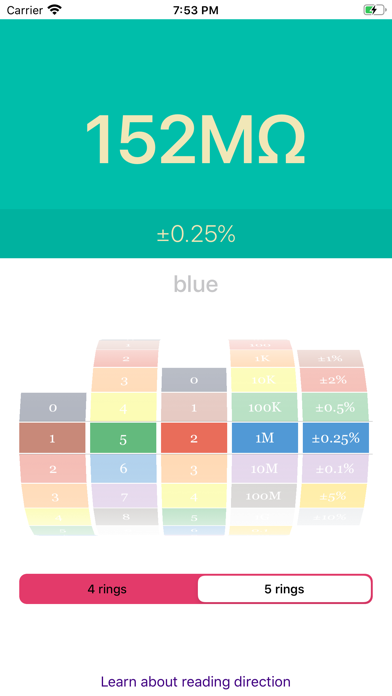
Who it is for
Hobbyists, students, and anyone still working with through-hole parts. I use it when I am sorting a mixed-value bag, double-checking a pull before soldering, or teaching someone the color code without spreading paper charts across the table.
Fair caveat: SMD resistors are a different world—markings are numeric, not rainbow bands. This app will not help there, and that is fine. For the drawers and kits full of axial resistors, it still earns its place.
A bit of background
I shipped version 1.0 in March 2020. The scope has stayed intentionally narrow: do one thing well, stay out of the way, and respect the user’s time and privacy. No subscriptions, no analytics SDKs, no “pro” tier—just a clean decoder that mirrors how many of us learned electronics in the first place.
It runs on iPhone, iPad, and Apple Vision (and Mac with Apple silicon via the iOS binary). iPad layout gets a bit more breathing room; on the phone it is a one-handed tool you can open faster than walking to the meter drawer.
Try it
- Download: Resistor Color Codes on the App Store
- Project page: quetty.com/projects/resistor-color-codes
If you use it on a project—or spot a band combination the UI should handle better—get in touch. I am always curious how these small bench tools land in the wild.